

 Zoomed to minimumUse the plus and minus key to zoom and the arrow keys to pan
Books
Important: You need to download our PDF instructions to prepare your artwork for print.

Bring your story to print with self-published books.
- 6 sizes – including portrait & landscape options
- 40–400 pages per booklet (includes 4 customisable cover pages)
- Matte & glossy paper options
- Perfect binding
- Full-colour, double-sided printing
Important: It is essential to download and use our template to guarantee error-free printing and achieve the best possible results. Download PDF instructions.
Made for self-publishers
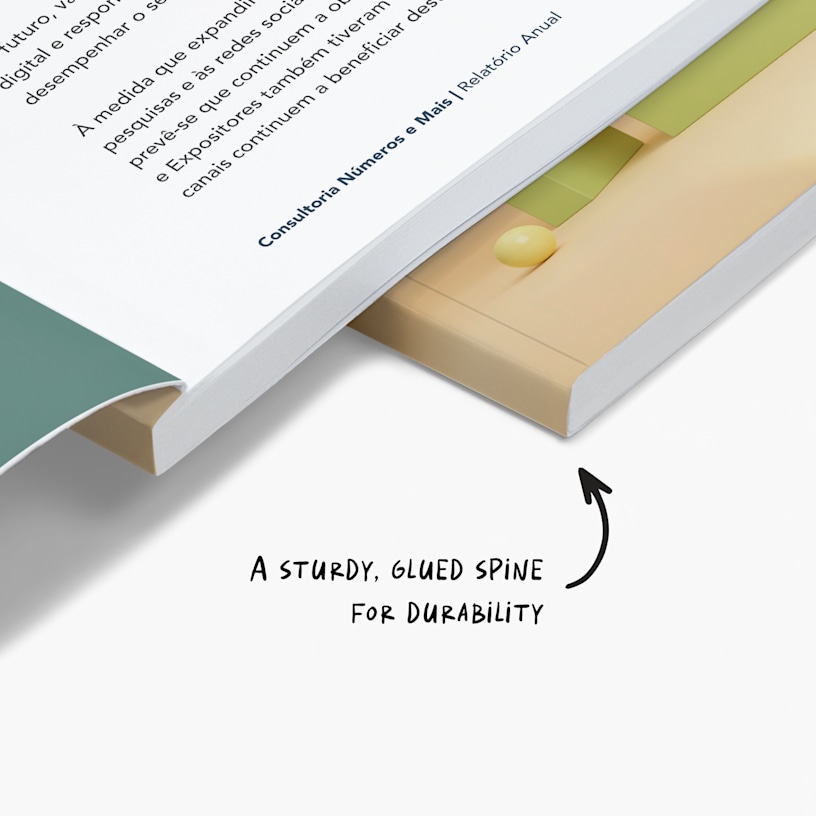
Books with perfect binding give your manuscript a professional, published look – and the minimum page count for a personalised book is 40, with up to 400 pages available across 6 size options. Whether you're writing a novel, memoir, poetry collection, how-to guide or photo book, perfect binding is the most popular method for self-publishing: pages are glued along the spine to create a clean, seamless finish that holds together through multiple readings, much like the paperbacks you'd find in a bookshop. It's a soft-cover format, so if you're looking for a hardcover option, we'd recommend ordering a proof first to make sure the finish suits your vision. Use books to share your creative work, preserve family stories or publish specialised content for your audience.
Quality covers and paper
How a book feels in hand comes down largely to paper weight – GSM (grams per square metre) is simply a measure of thickness and density, so the higher the number, the heavier and more substantial the page. All books include a 300 gsm laminated cover, available in matte or glossy finish, giving your book a durable, tactile quality that feels genuinely published. For inside pages, choose between budget 130 gsm – lighter and well-suited to text-heavy books – or standard 170 gsm for a thicker, more premium feel that works particularly well for photo books and illustrated content. Matte paper gives a softer, less reflective surface ideal for reading, while glossy paper makes images and colour pop.
Template-based printing
Before you begin book printing, download our PDF instructions to prepare your manuscript correctly for perfect binding – this is an essential step to ensure your file is formatted accurately and prints without issues. Use our template generator to create a file that matches your chosen size, page count and paper stock, making sure key content sits away from the spine and within the safe zone. Once your layout is complete, upload your finalised PDF and we'll handle the rest. As a quick self-publishing checklist: confirm your page count is between 40 and 400, set your file to the correct size, include all 4 cover pages, use 300 dpi resolution and check your bleed settings before uploading. Your books will arrive with a clean spine and professional appearance, ready to share with readers.
For a successful print, please be sure to follow our detailed instructions on how to design your custom books. Download our PDF guide.
Perfect binding is a popular bookbinding method that uses a strong adhesive along the spine to create a clean, professional finish. Unlike staple binding, which uses metal staples to bind the pages, perfect binding involves gluing the pages to a soft cover, resulting in a more polished, seamless look.
Book printing with perfect binding is a good choice for self-publishers seeking a professional, polished appearance. We recommend them for novels, memoirs, poetry collections, how-to guides, photo books and other creative projects. Perfect binding works well for projects with a higher page count (typically 40 pages or more), providing durability and a bookshop-quality finish.
Your books can include 40–400 pages – this includes 4 cover pages (front cover, inside front cover, back cover and inside back cover). For example, a 40-page booklet = 4 cover pages + 36 inside pages. You can increase or decrease a book printing page count in increments of 2: 40 pages, 42 pages, 44 pages, etc.
No, you’re not required to — you’ll just need to include blank pages in your print-ready PDF. But if you’d like to utilise all the space and add content to all 4 cover pages, you’re welcome to do that too.
All perfect bound books come with a premium plus cover — 300 gsm thick paper stock with double-sided lamination for added durability.
Sample books are not available but you can order a single book. This is a great way to see how your printed book looks before you order a larger amount.