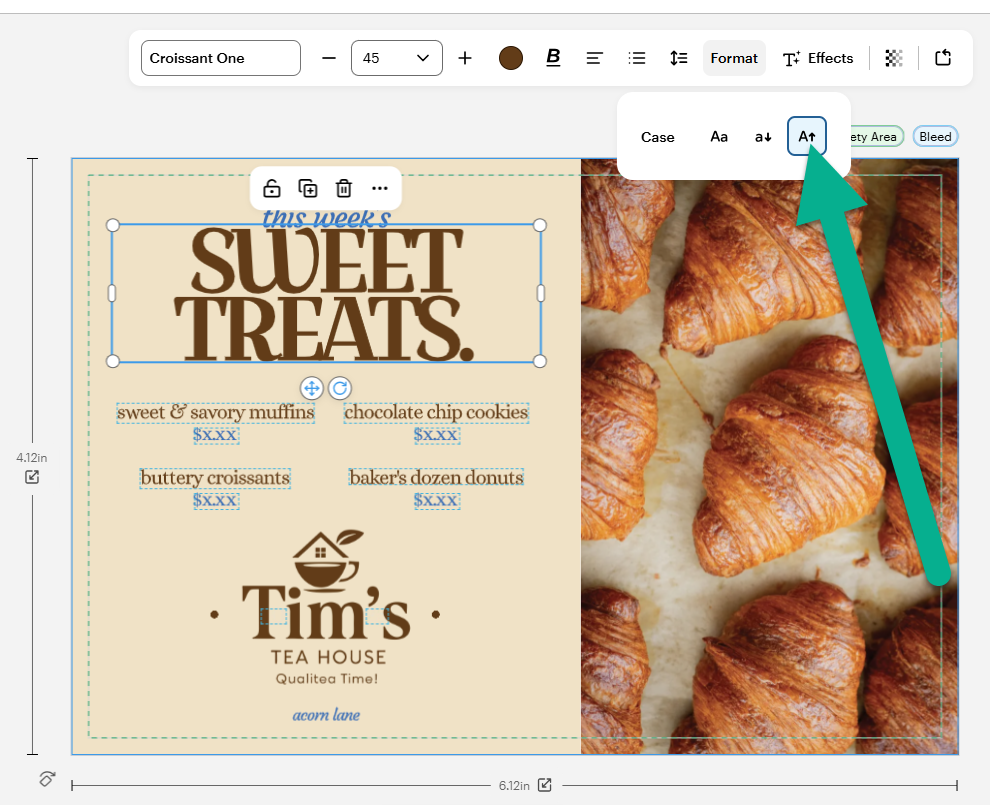
If you want to change the case of your text without typing it again, follow these steps:
1
Select your text
In the design studio, select the text field you want to edit. The text tools will appear automatically.
2
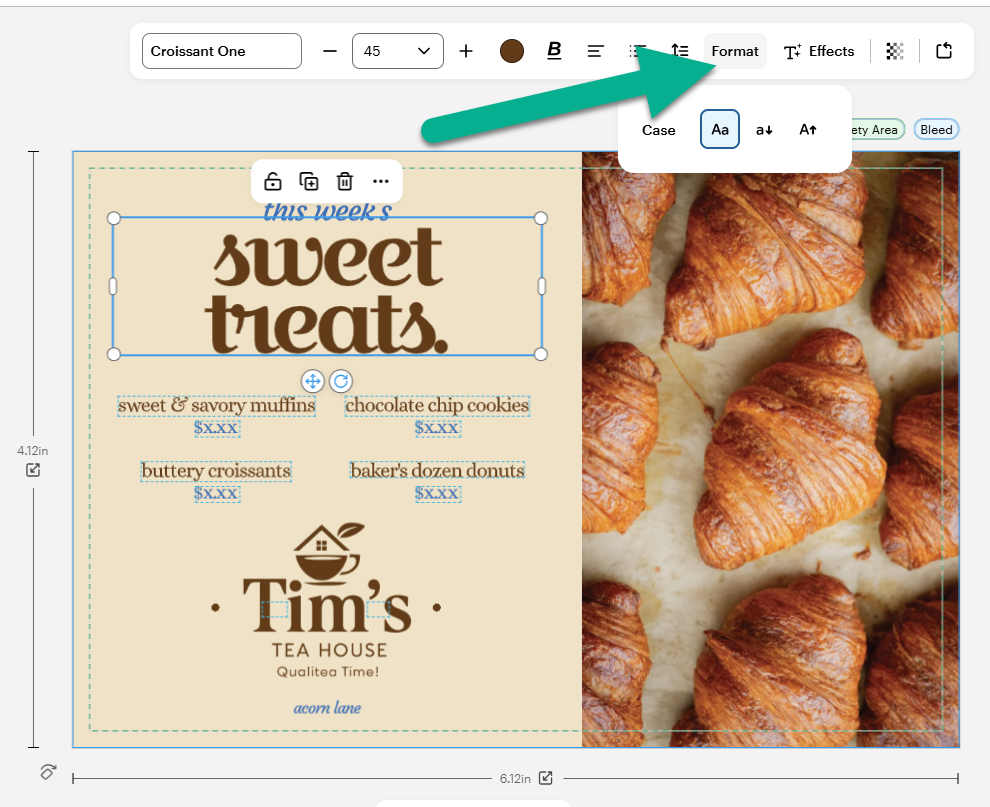
Select the Format feature
In the menu above the design, select Format to open the text format menu.
3
Select your case
To change the case of the selected text, select one of the options:
Mixed case: The first letter will be upper case, the rest will be lower case.
Lower case: The text will be all lower case.
Upper case: The text will be all upper case.