

Once your order ships, we email you a link to your VAT invoice. You can use this for accounting and VAT refunds.
How to download your invoice
1
Visit our Help Centre
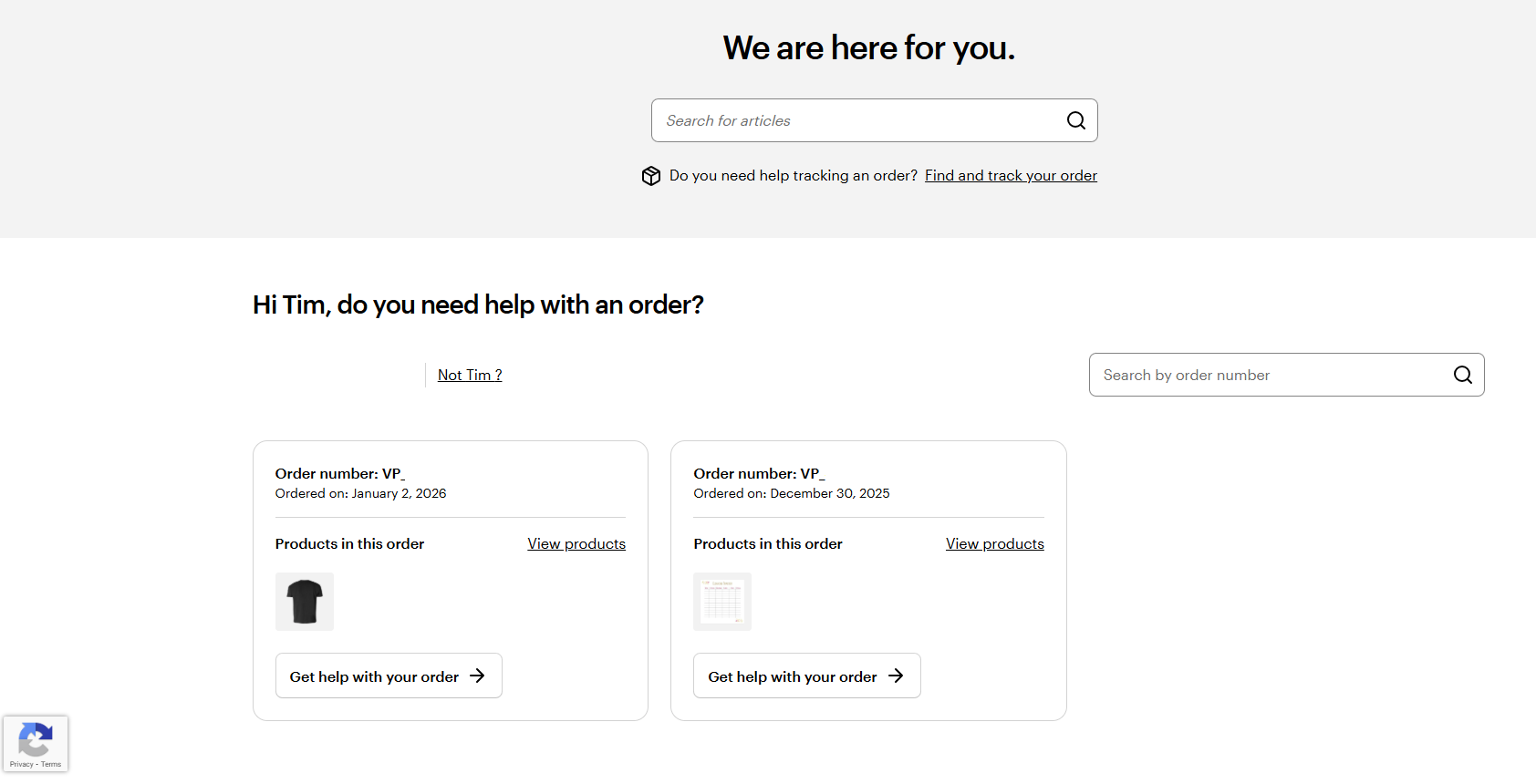
Go to our Help Centre. Here, we will display your recent orders.
2
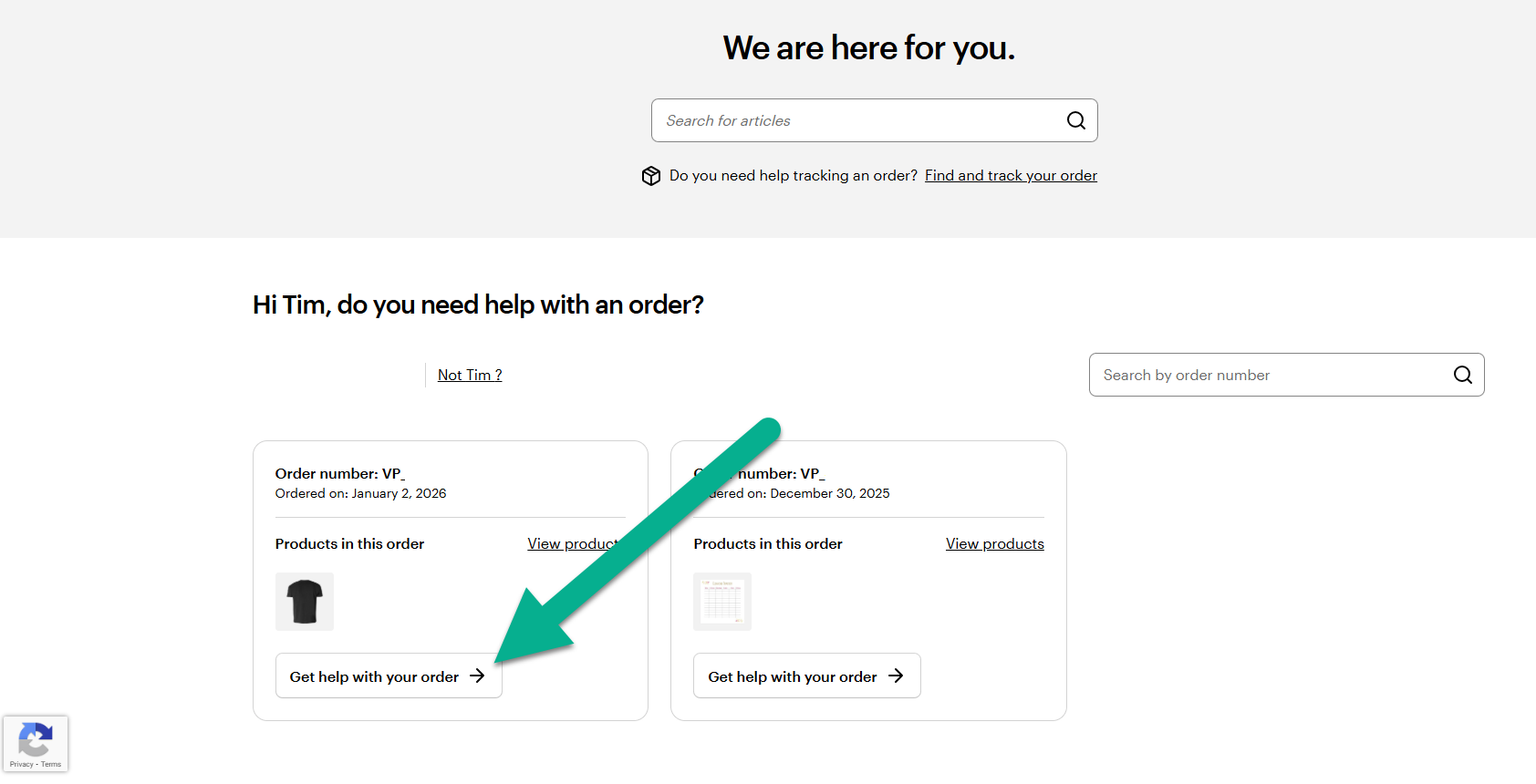
Select Get help with your order
Find the order you want to download an invoice for and select ‘Get help with your order’.
3
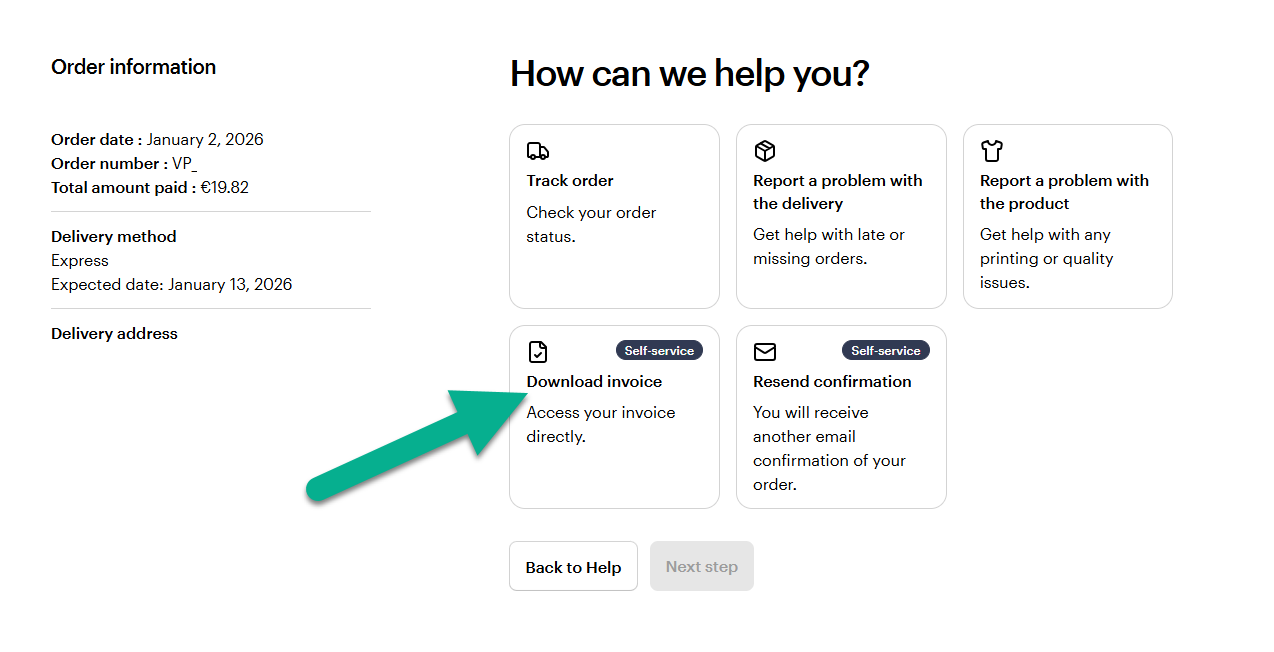
Select download invoice
We'll show you all the different ways to get help with this order. To download the VAT invoice, select Download invoice. You can also select Resend Confirmation, to receive the confirmation email again. Select Next step when you have made your selection.
4
Select Download invoice again
The invoice will be downloaded as a PDF.

